
Connect QuickBooks Online
Turn on QuickBooks and connect the company your bookkeeping lives in.
Who can do this: Owner.
Last updated
Only the owner can connect QuickBooks. When you come back, map your items and customers before the first sync. See Match customers, items, and deposit accounts.
Steps
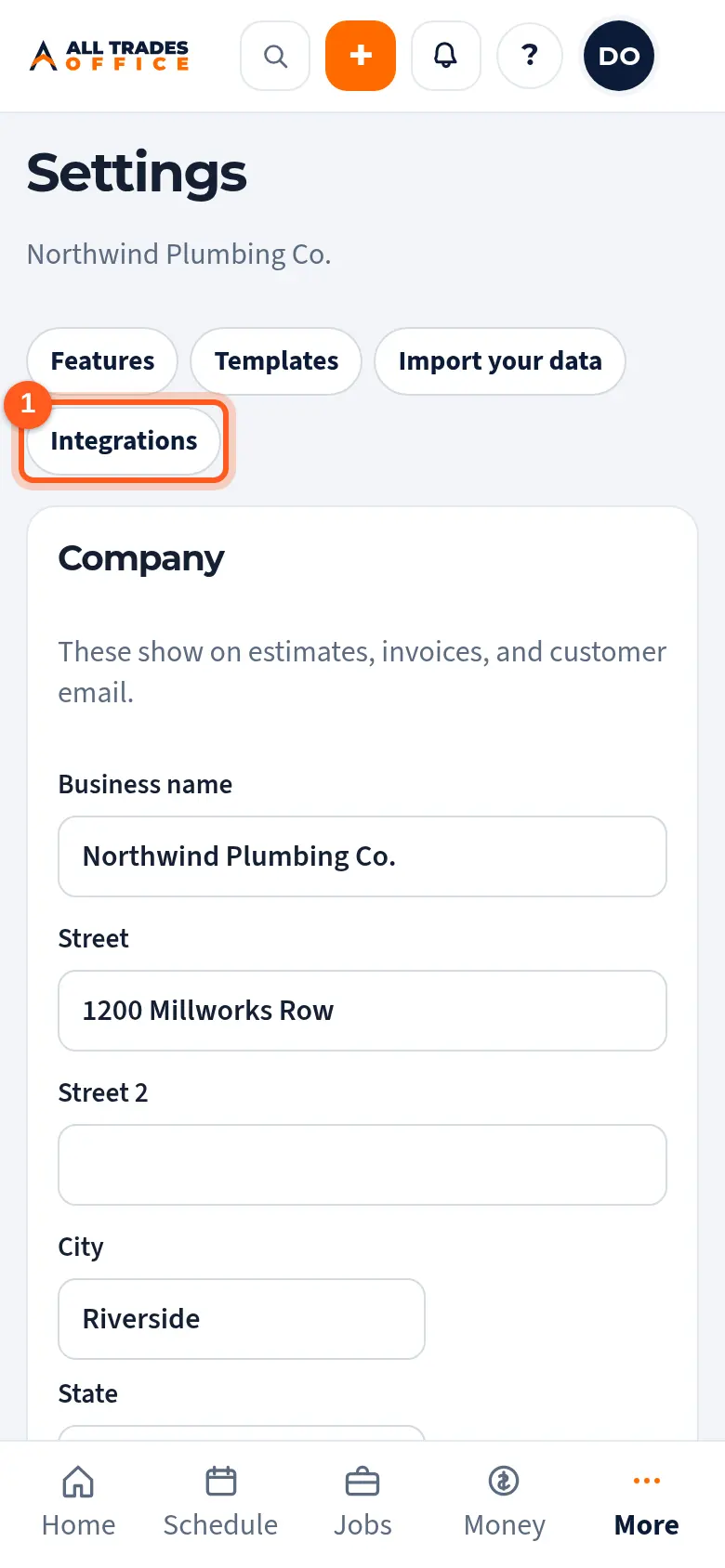
Open Settings and tap Integrations at the top.
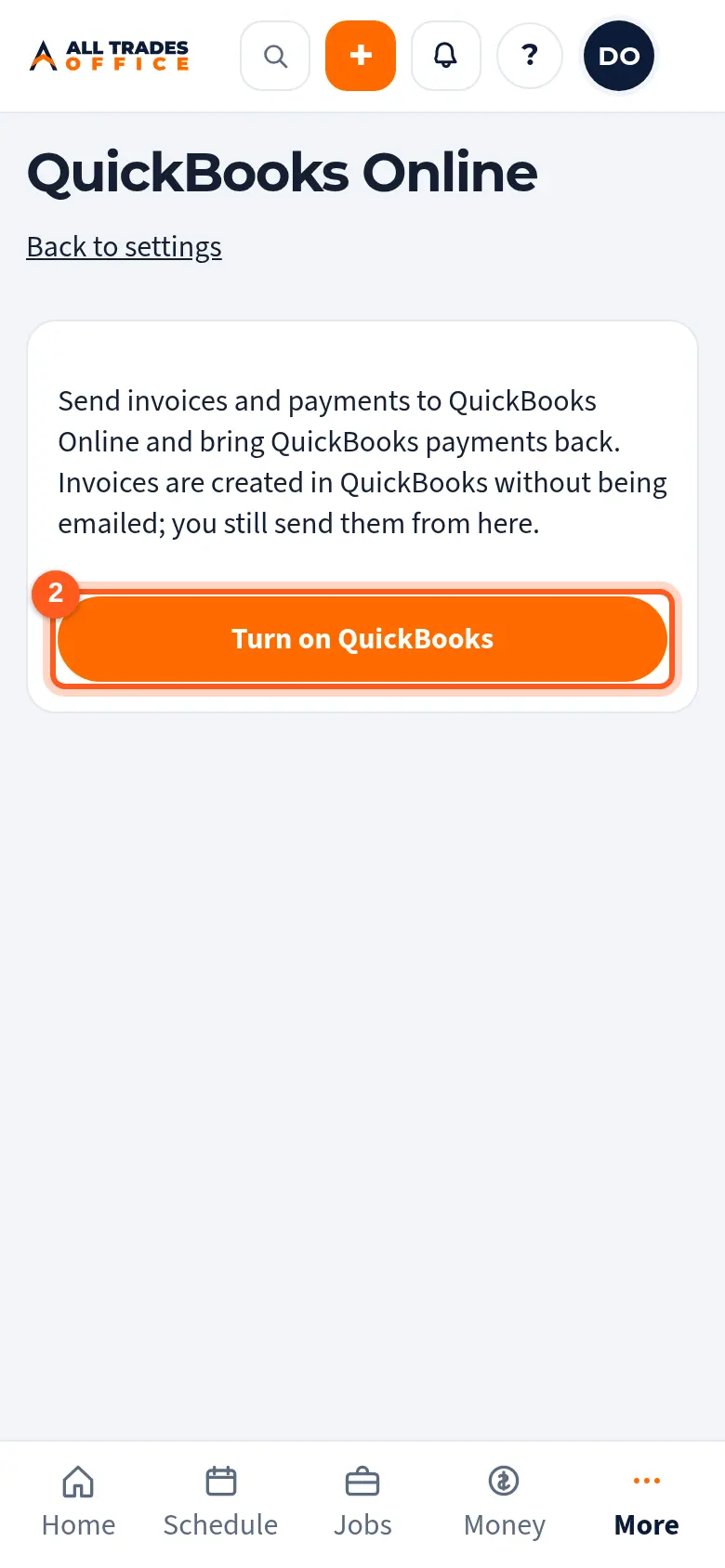
Tap Turn on QuickBooks.
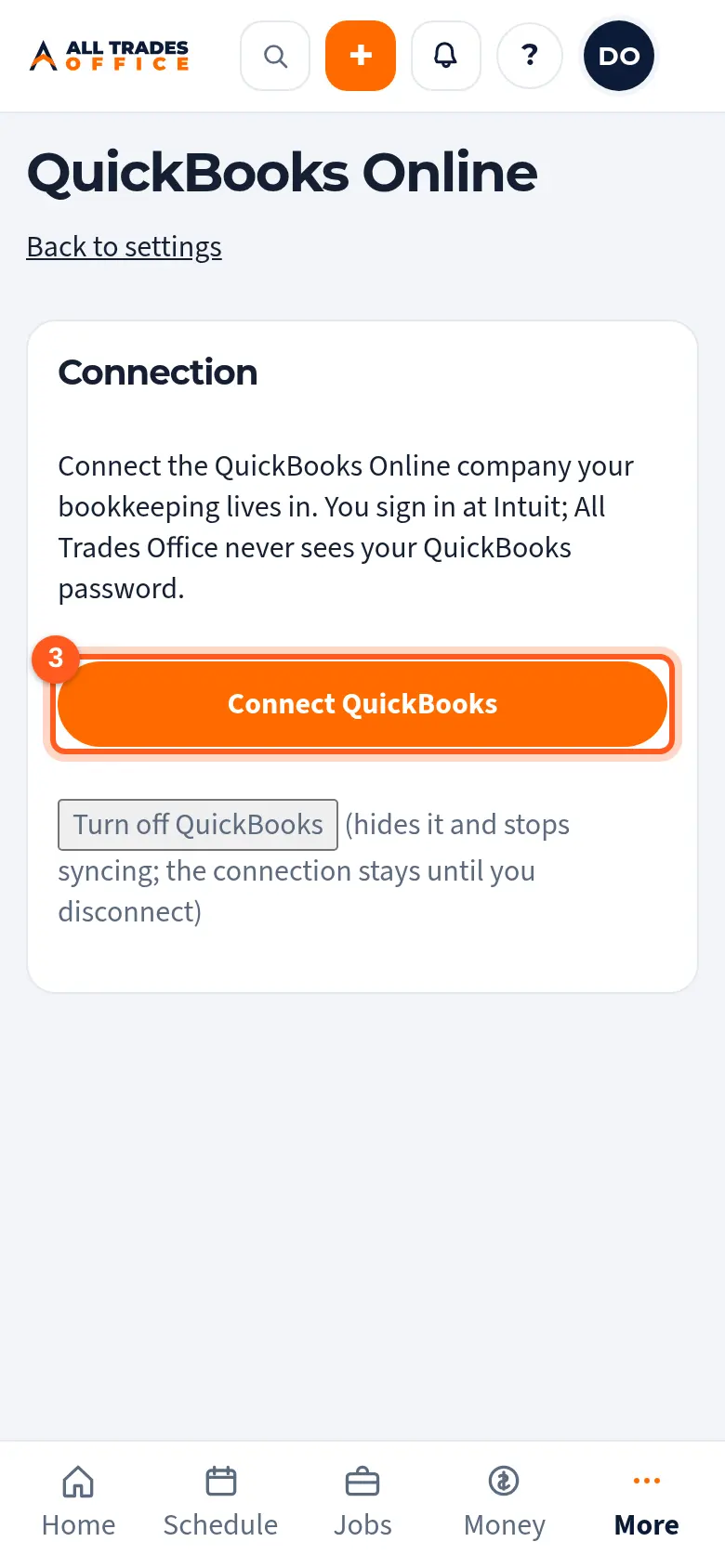
Tap Connect QuickBooks. You sign in at Intuit and pick your company. All Trades Office never sees your QuickBooks password.
Good to know
- Choose Only send invoices dated on or after a date, so invoices already in QuickBooks aren't sent again.
- Turn off QuickBooks hides it and stops syncing. Nothing is deleted.
Related
- Match customers, items, and deposit accountsTell QuickBooks which customer, item, and bank account each thing belongs to before the first sync.
- What syncs with QuickBooks, and what never doesInvoices and payments go to QuickBooks. QuickBooks never emails your customers.