
Approve time
Review your crew's hours and approve them.
Who can do this: Owner, Admin, Office. Needs: Time clock turned on in Settings → Features.
Last updated
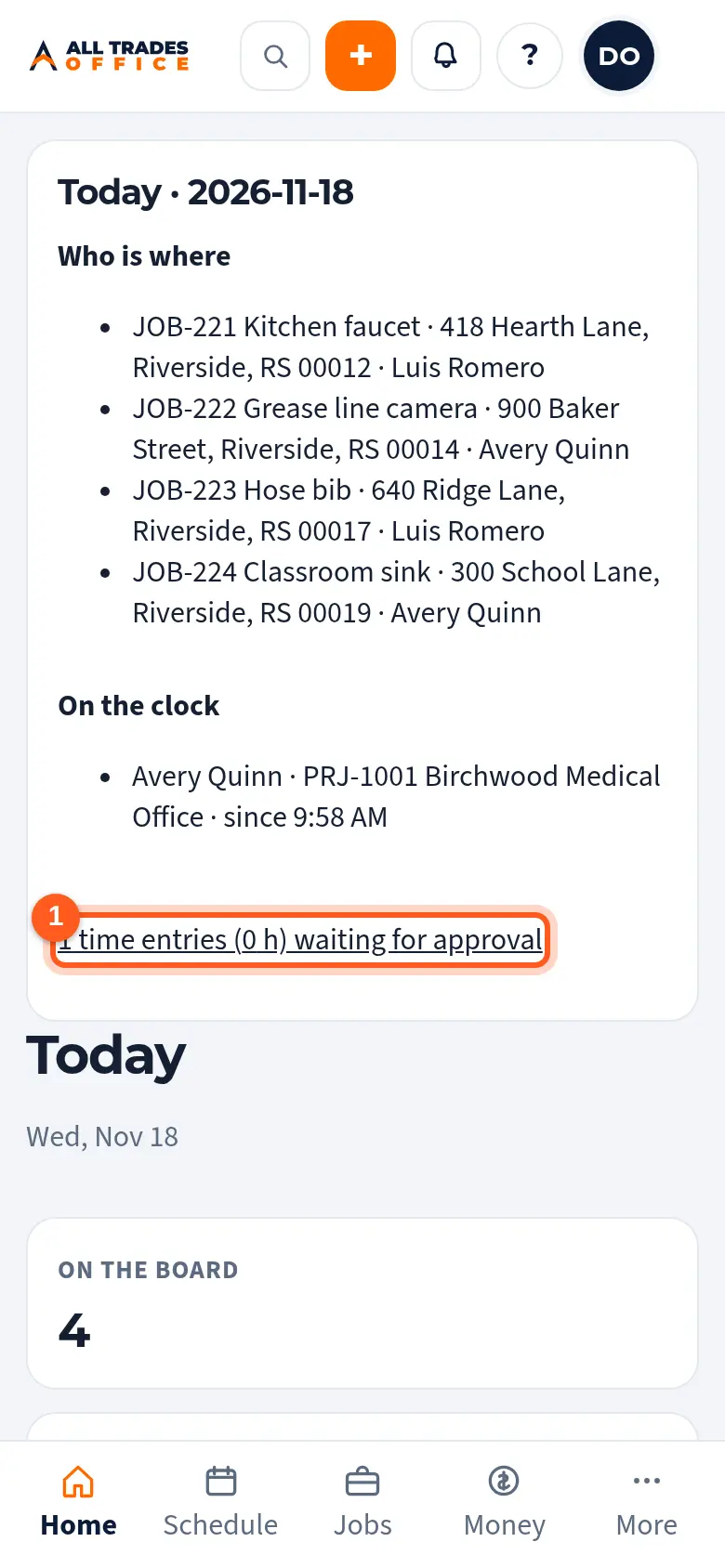
Today also shows who's on the clock right now and where.
Steps
On Today, tap the line that says how many time entries are waiting for approval.
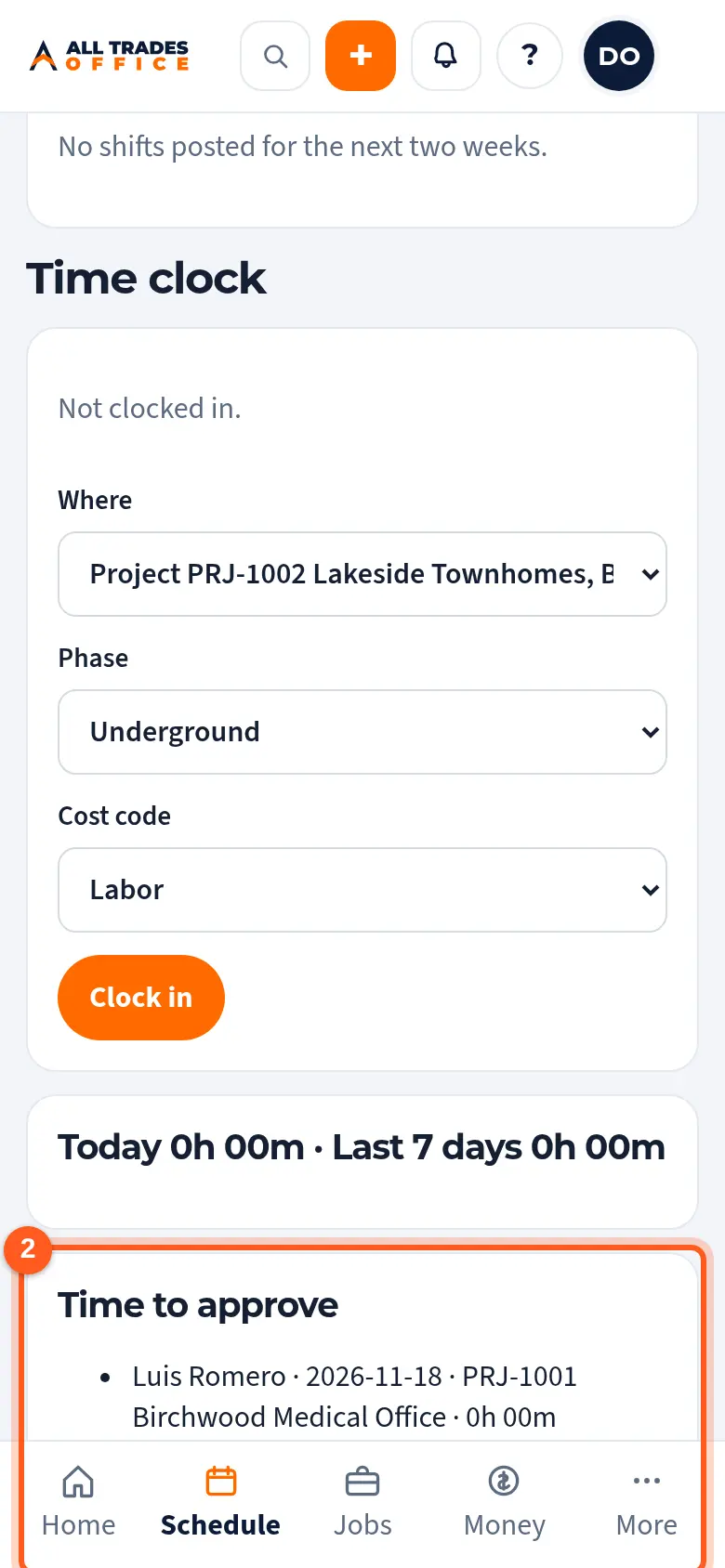
Under Time to approve, check each person's hours and job, then tap Approve all.
Related
- Clock in and out by job, phase, and cost codeTrack your hours against the right job so job costing stays accurate.
- Job costing: budget, committed, and actualSee where a project's money and hours are going, by phase and cost code.