
Receive materials against a PO
Check in what showed up so you know what's still coming.
Who can do this: Owner, Admin, Office. Needs: Purchasing / POs turned on in Settings → Features.
Last updated
Receipts show under Receipts on the PO. Anything not received stays open.
Steps
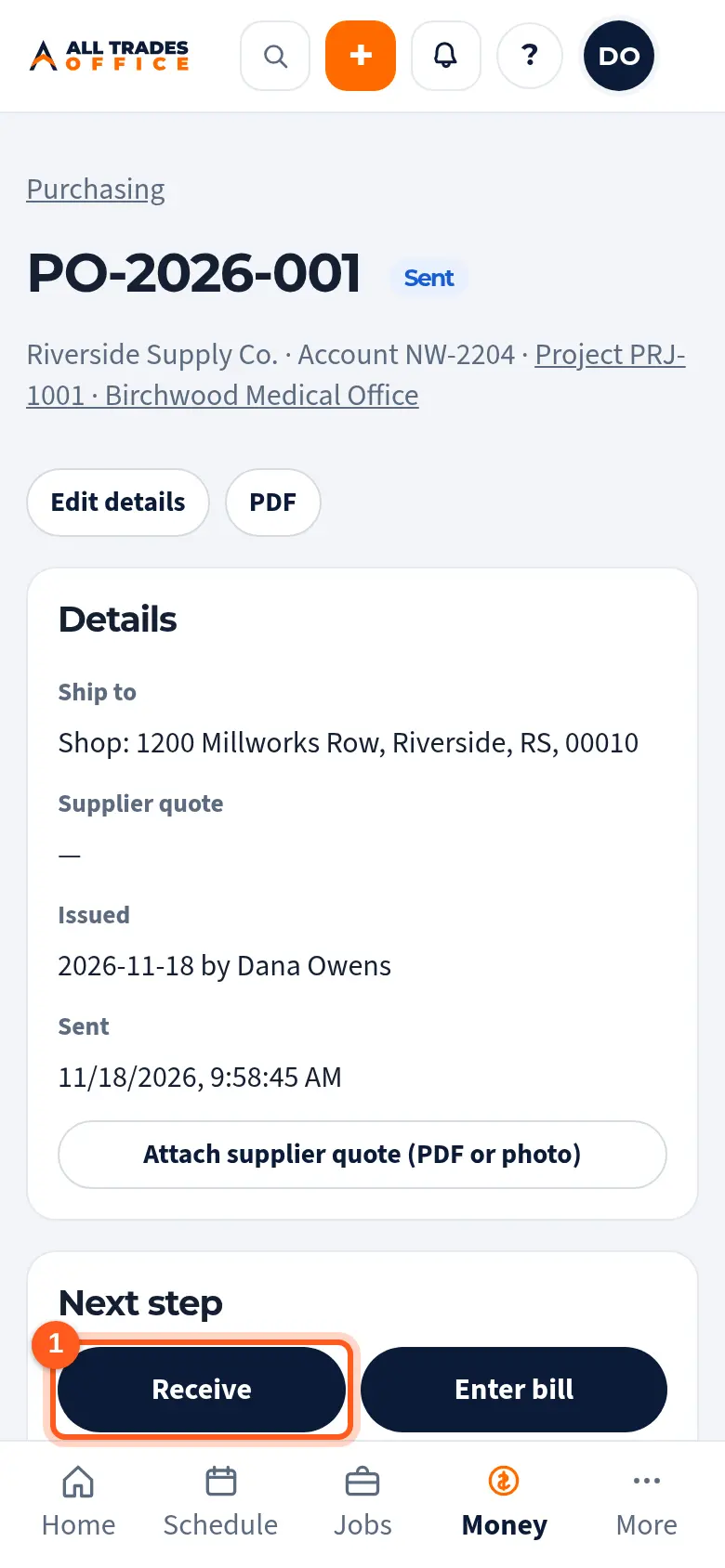
Open the PO and tap Receive.
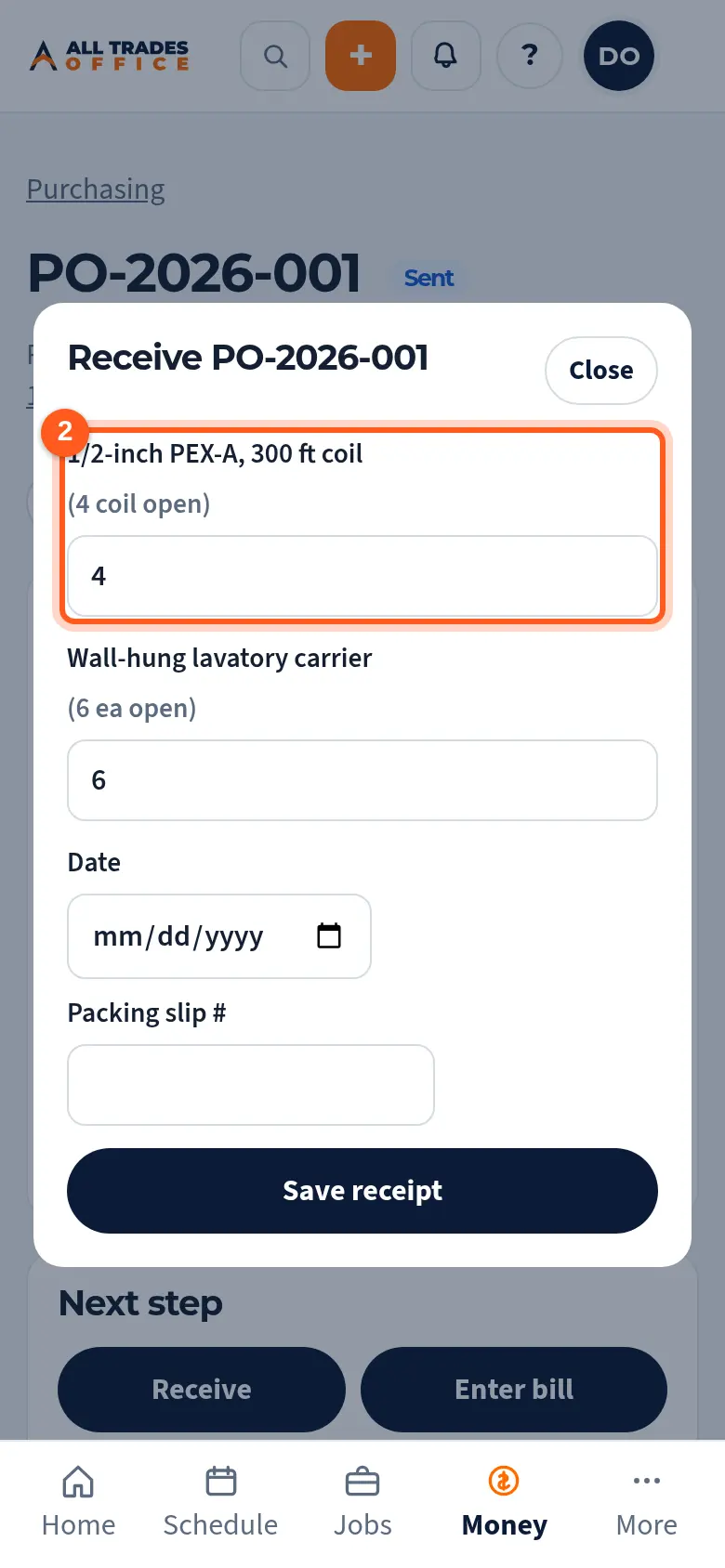
Enter how many of each item came in. The open quantity is shown next to each one.
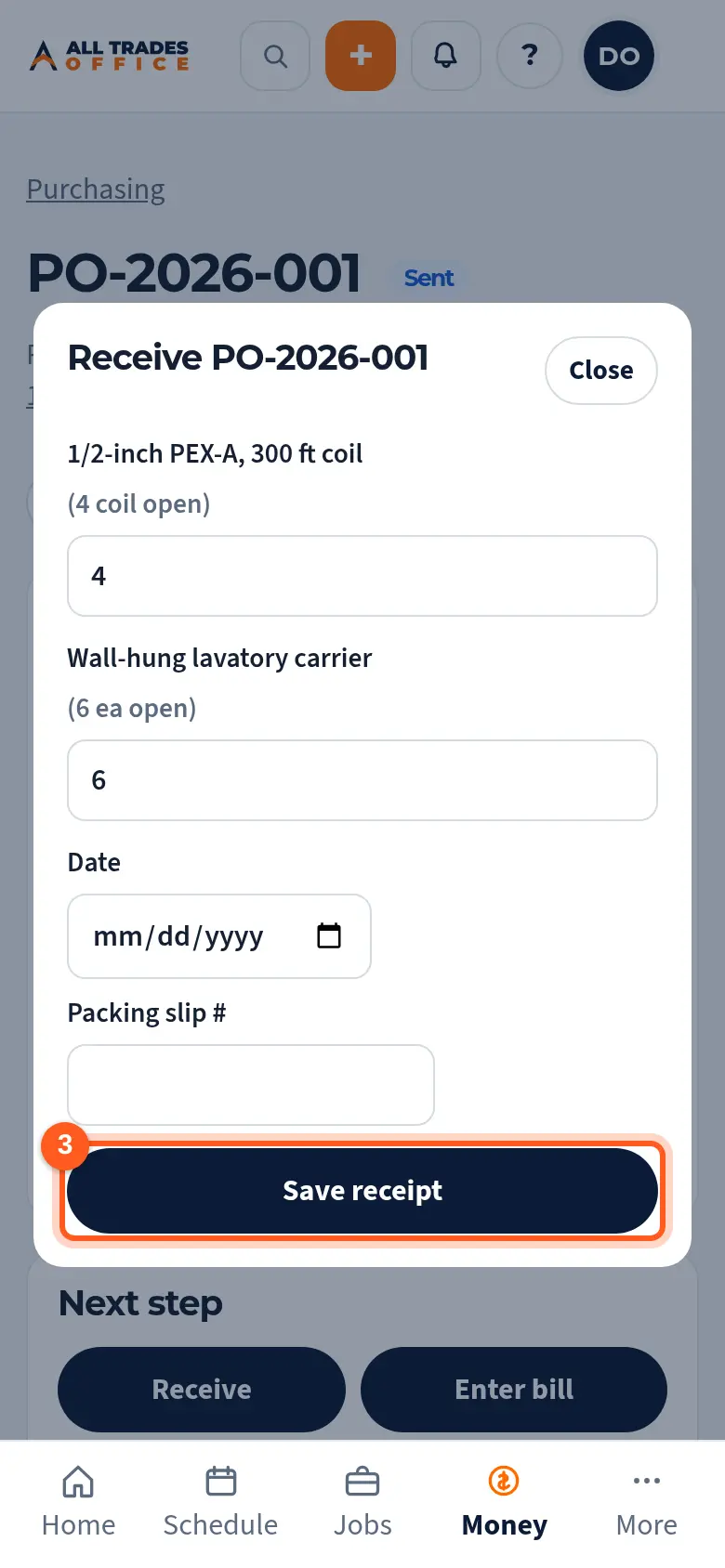
Add the date and packing slip number, then tap Save receipt.
Good to know
- If more shows up than you ordered, you'll get a warning. Save again to confirm.
- Tap Cancel remaining when the rest is never coming.
Related
- Create a purchase order and send it to a vendorStart a PO from a project, job, or the shop, add the items, and send it to the supplier.
- Enter a vendor bill and match it to a POEnter the supplier's invoice against the PO and catch price or quantity differences.