
Service access for a Field Worker
Let one Field Worker use the price book, take payments, and add items to their jobs.
Who can do this: Owner, Admin with “Manage team and company settings” turned on for their role.
Last updated
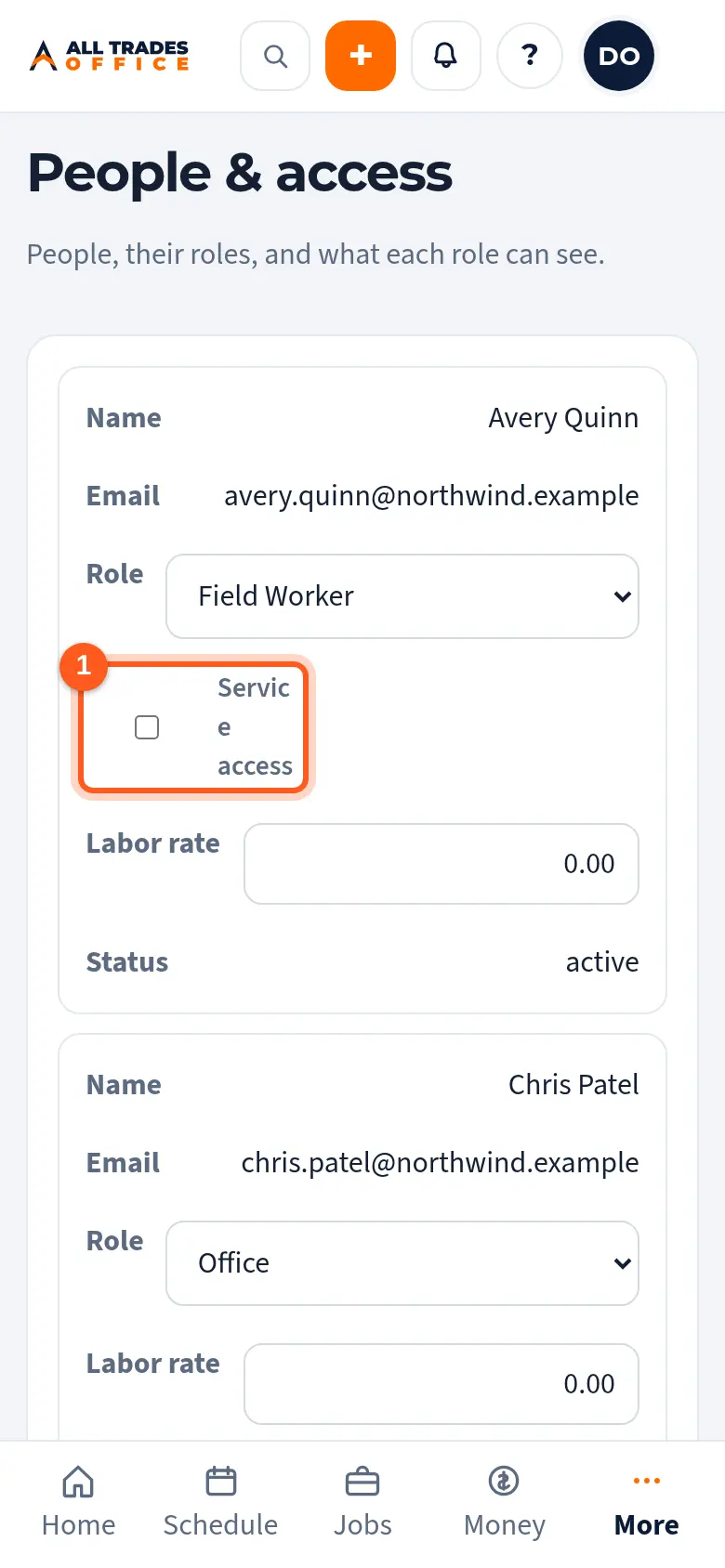
Service access adds the Service Tech abilities for that one person: the price book, field payments, and adding items to their jobs. What money they can see doesn't change.
Steps
In People & access, find the Field Worker. Tick Service access under their role.
Related
- Invite people and choose their roleAdd someone to your company and pick what they can see and do.
- Take a payment in the fieldRecord cash, a check, or a card you ran on your own terminal, right from the job.