
Write a T&M ticket and get it signed
Write up extra work on site, list the labor and material, and get the GC or owner to sign on your phone.
Who can do this: Owner, Admin, Office, Service Tech, Field Worker. Needs: T&M tickets turned on in Settings → Features.
Last updated
Extra work that's not in the contract? Write it up on site and get it signed before you leave.
Anyone on the project can write a ticket, including Field Workers, when T&M tickets are turned on. Rates show only to people who can see money.
Steps
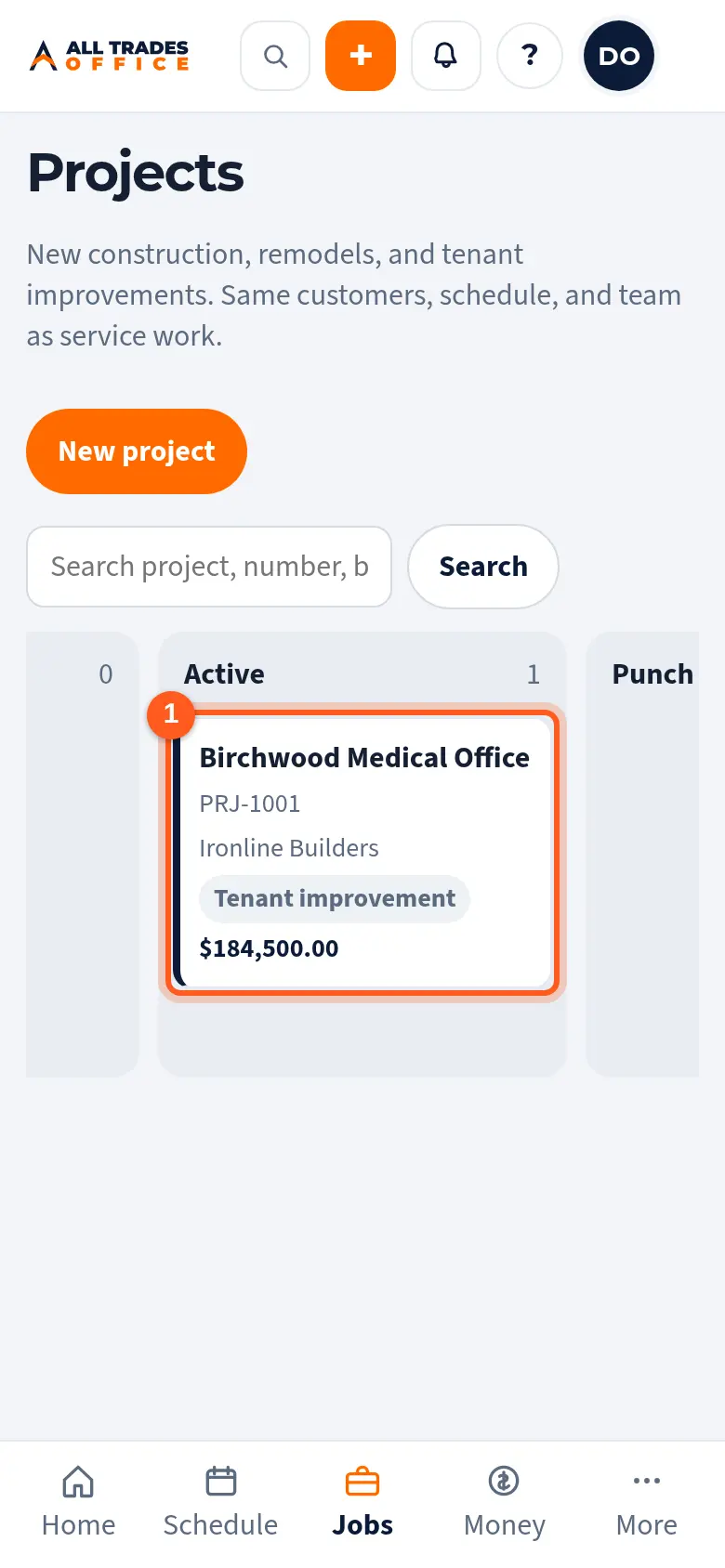
Open Projects and tap the project.
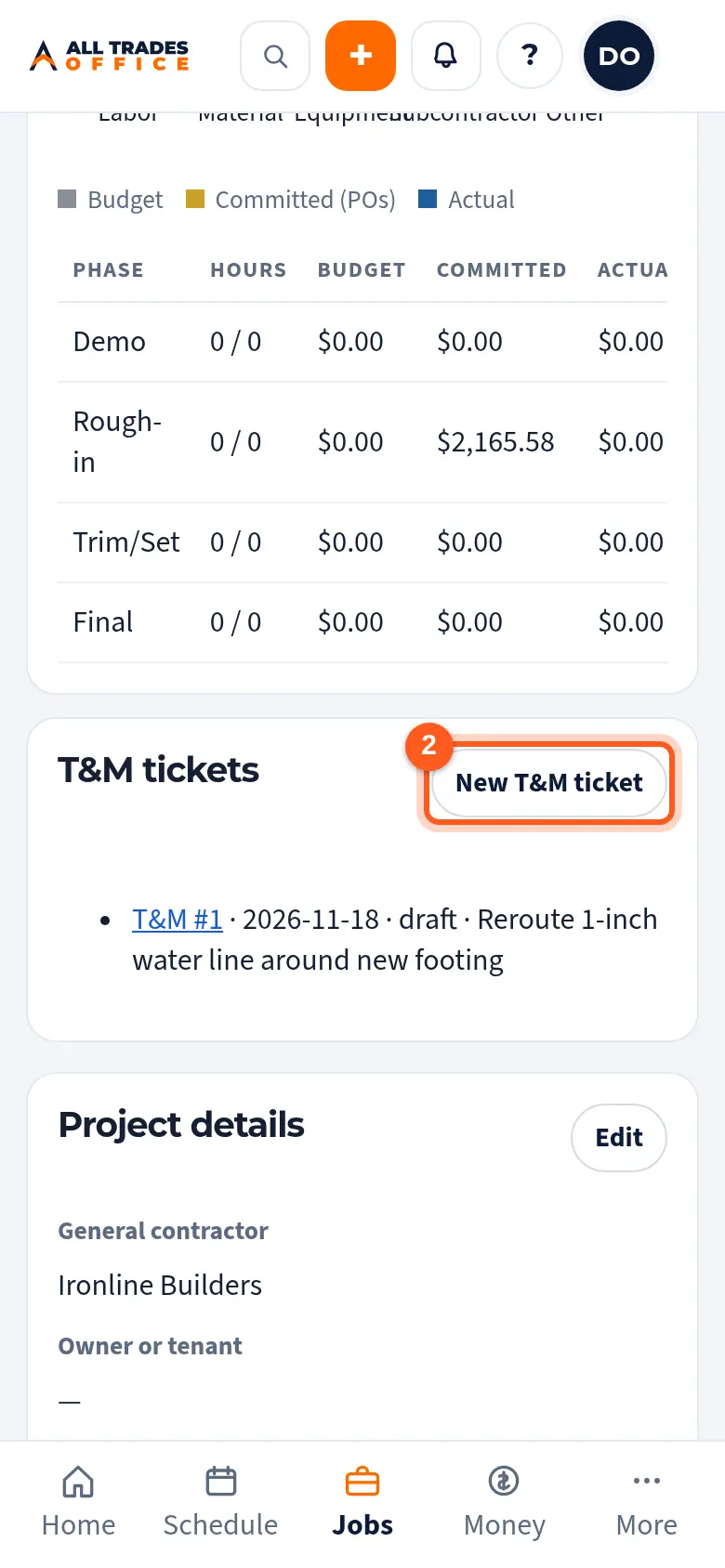
Scroll to T&M tickets and tap New T&M ticket. Type what the extra work was and tap OK.
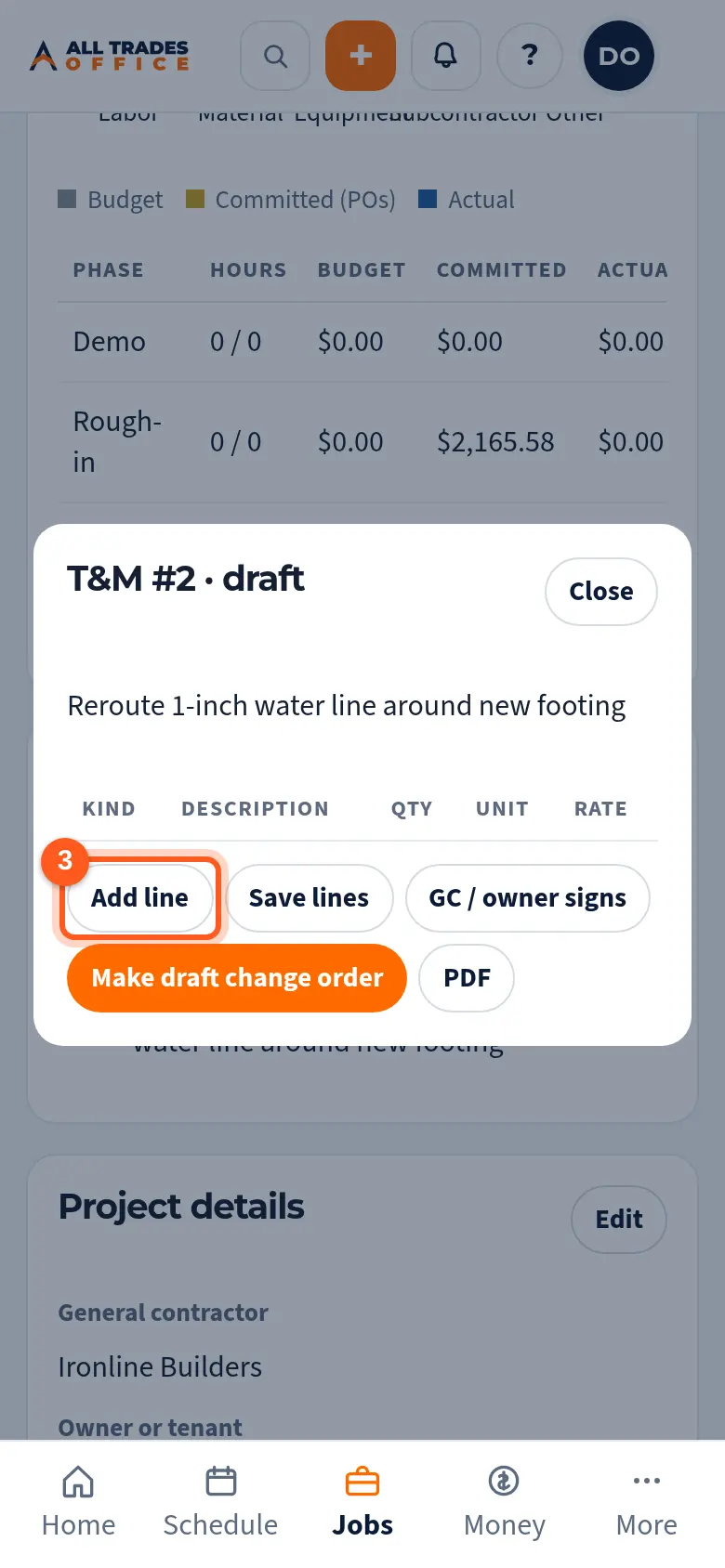
Tap Add line for each piece of labor, material, or equipment.
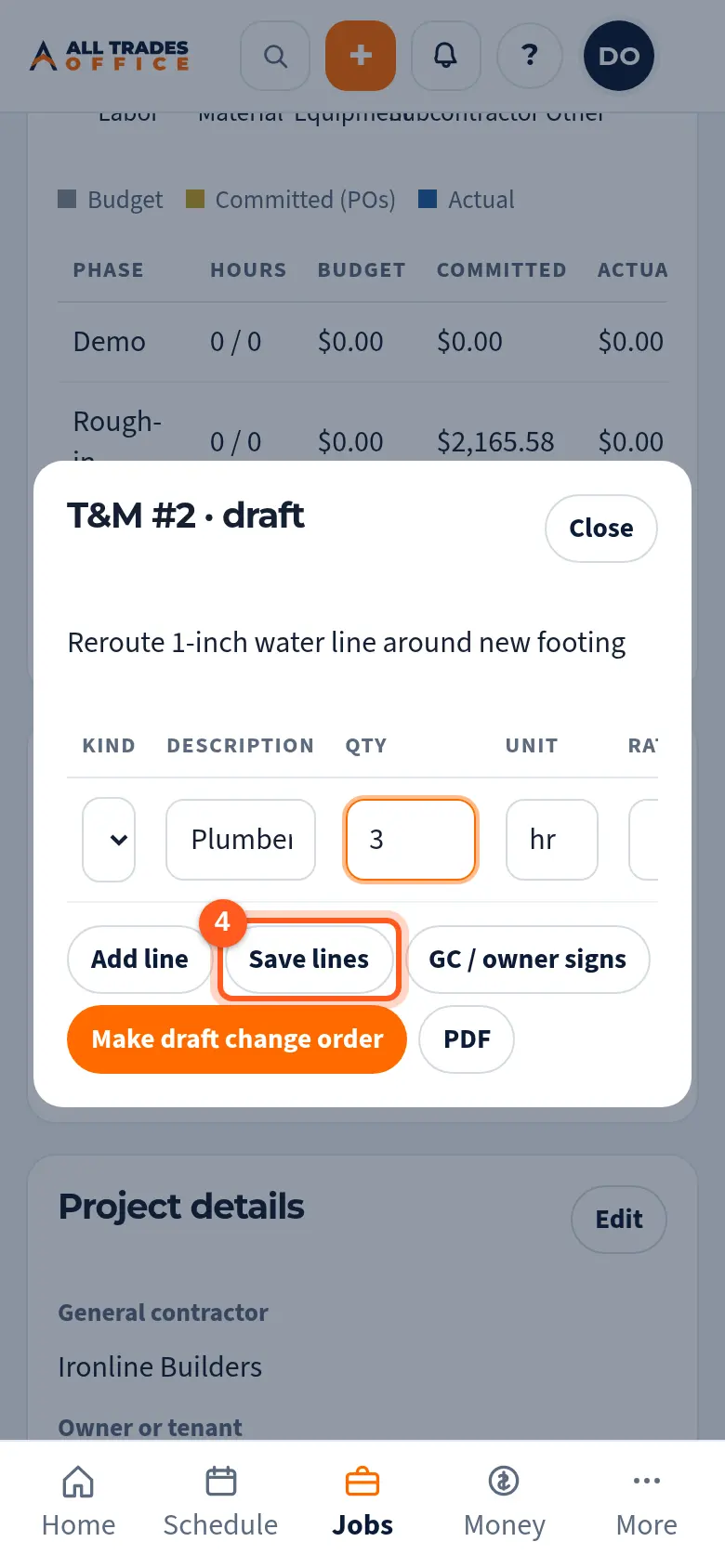
Fill in what, how many, and the unit (hr, ea, lot), then tap Save lines.
Tap GC / owner signs and hand them the phone.
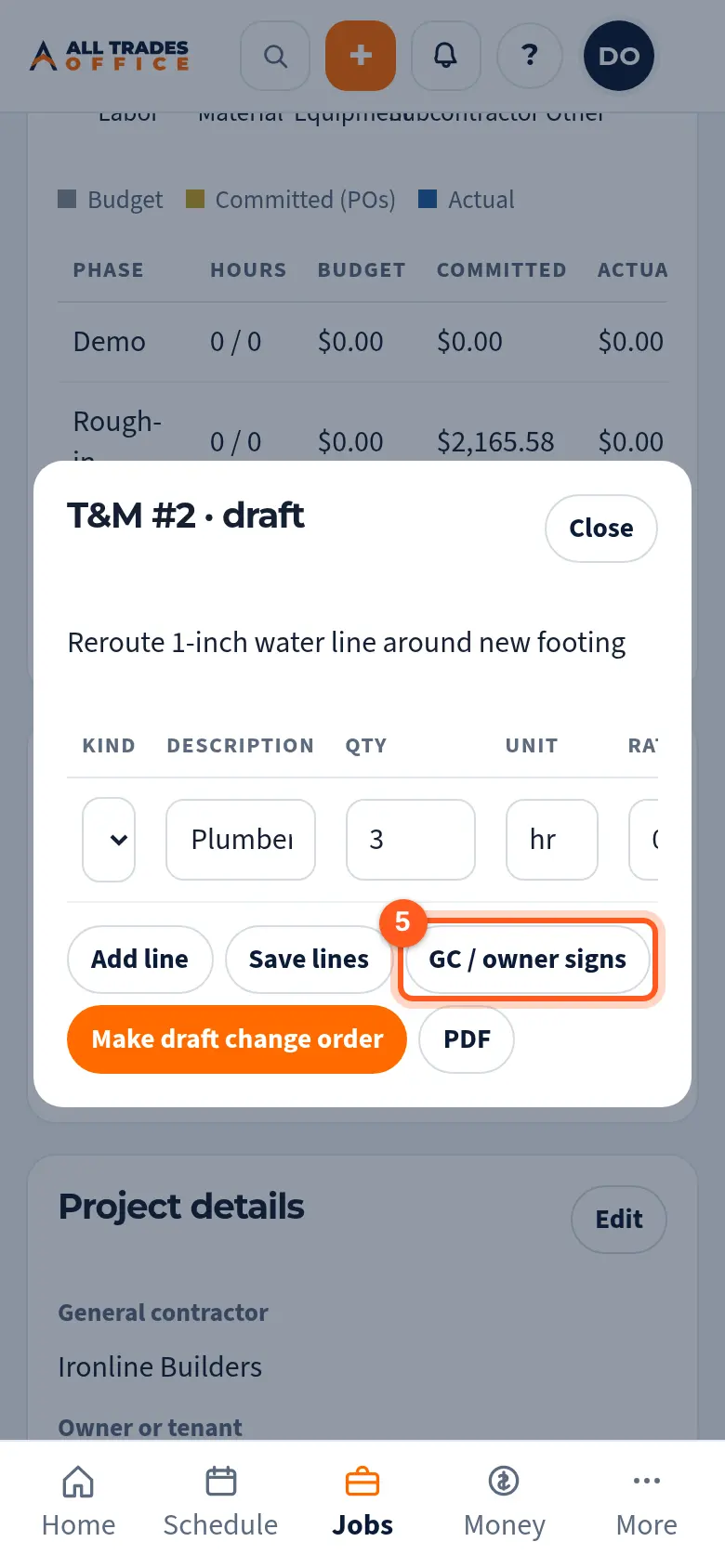
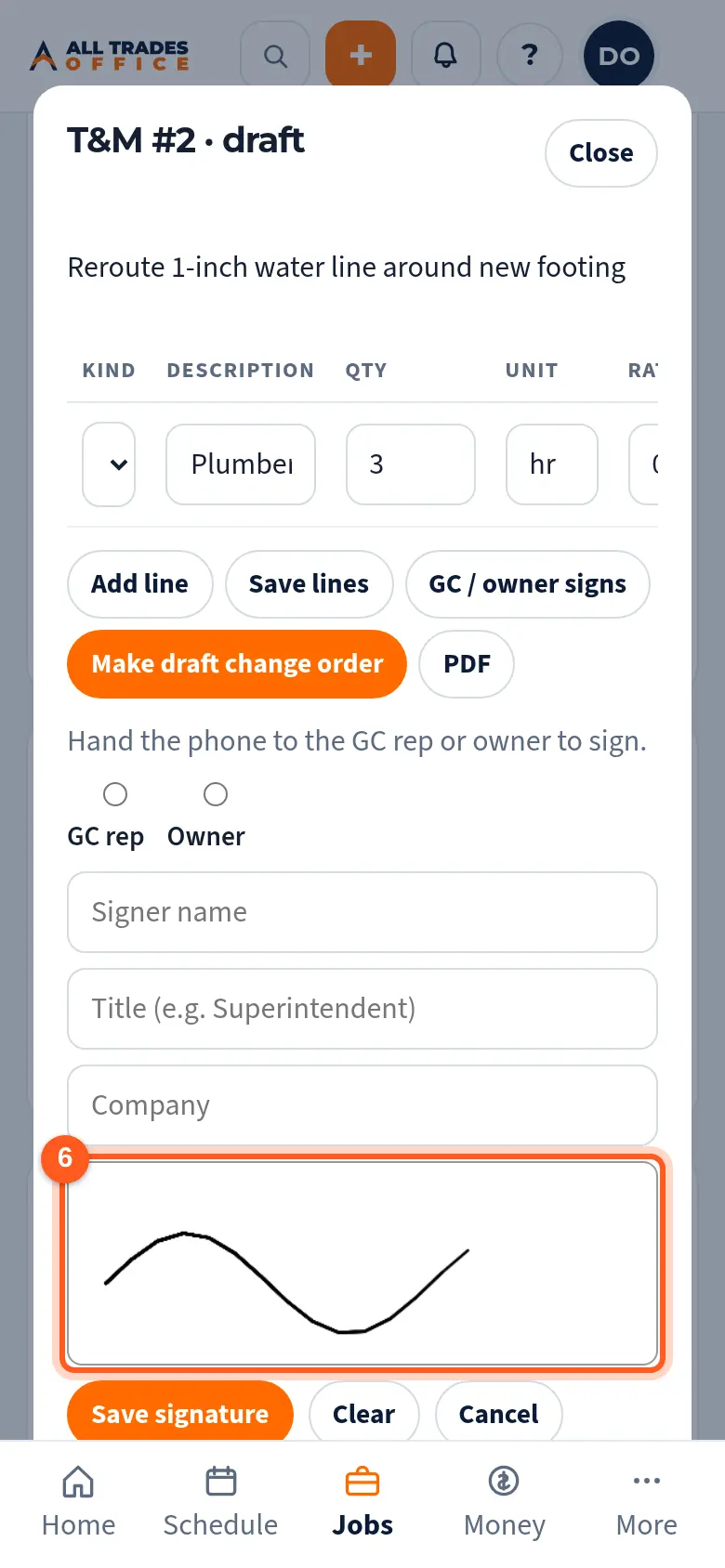
They pick GC rep or Owner, type their name and title, sign with a finger, and save. A copy goes to your owners and admins.
Good to know
- Tap PDF on a ticket for a printable copy.
- Owners and admins can turn a signed ticket into a draft change order. Nothing is sent until the owner approves it. See Turn a signed T&M ticket into a change order.
Related
- Turn a T&M ticket into a draft change orderPrice a T&M ticket and turn it into a change order without typing it again.
- Change orders: write, owner approves, sendWrite a change order, get the owner's OK inside the app, then send it to the GC or customer.