
Turn on phone notifications
Get a buzz when you're put on a job, someone @mentions you, or there's a new announcement.
Who can do this: Owner, Admin, Office, Service Tech, Field Worker.
Last updated
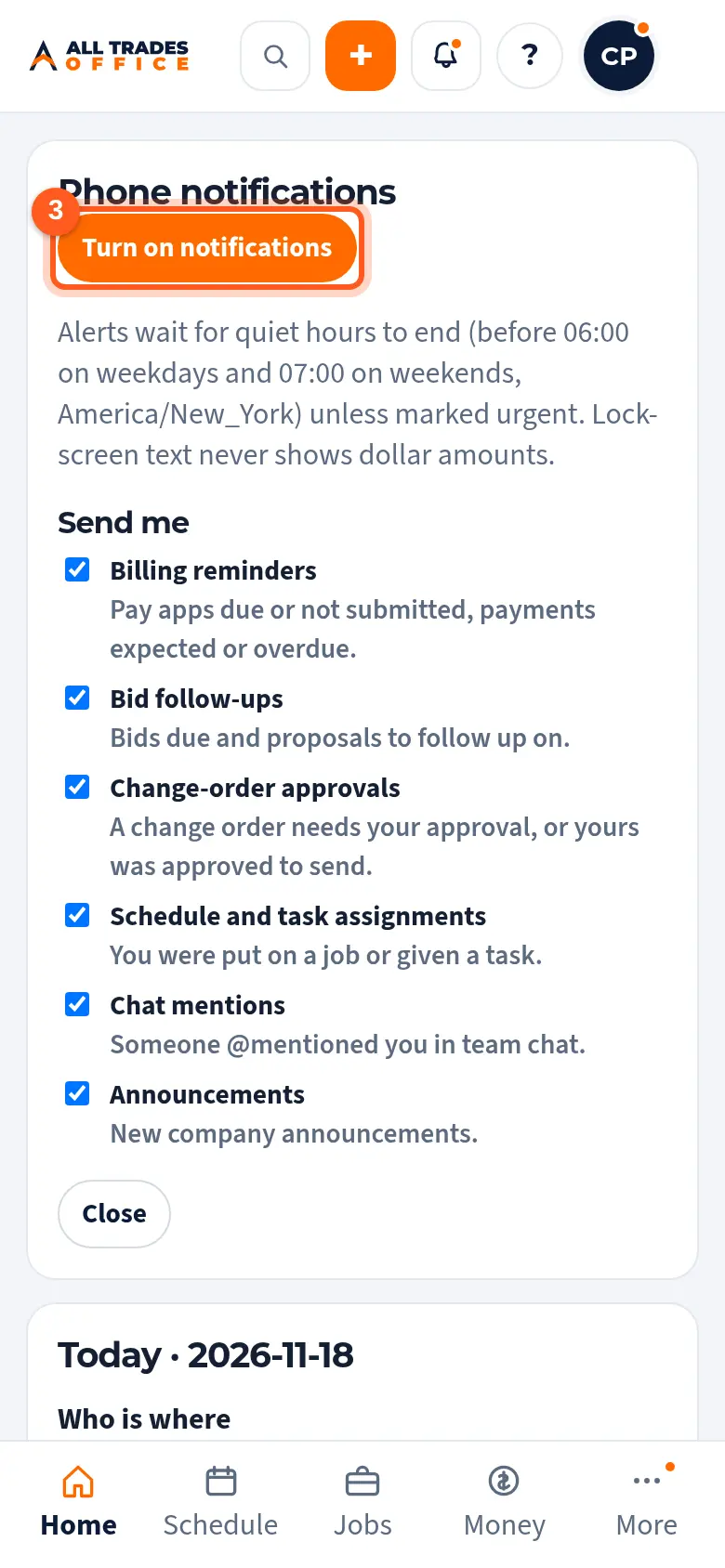
Alerts wait until morning (6:00 AM on weekdays, 7:00 AM on weekends) unless they're marked urgent, and the lock screen never shows dollar amounts.
Steps
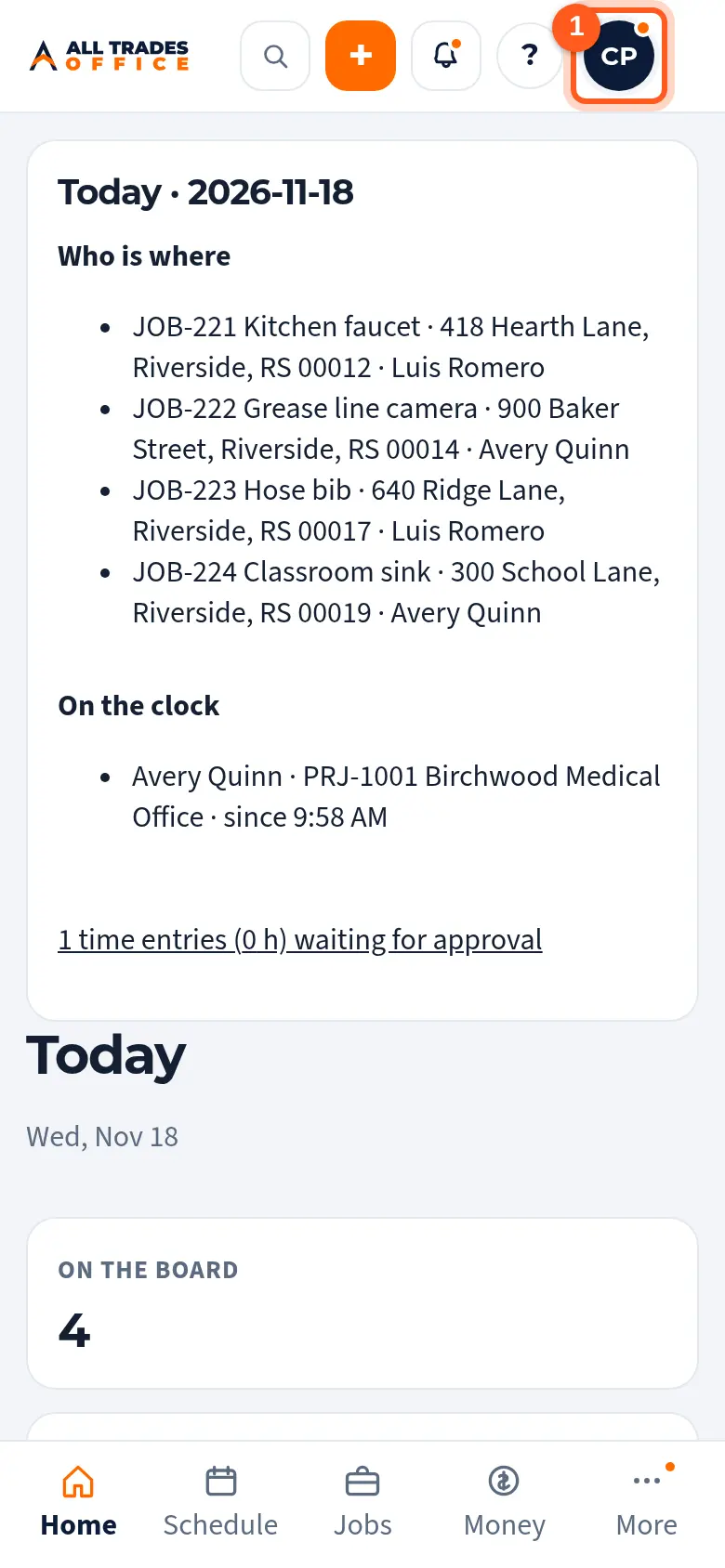
Tap your initials in the top right corner.
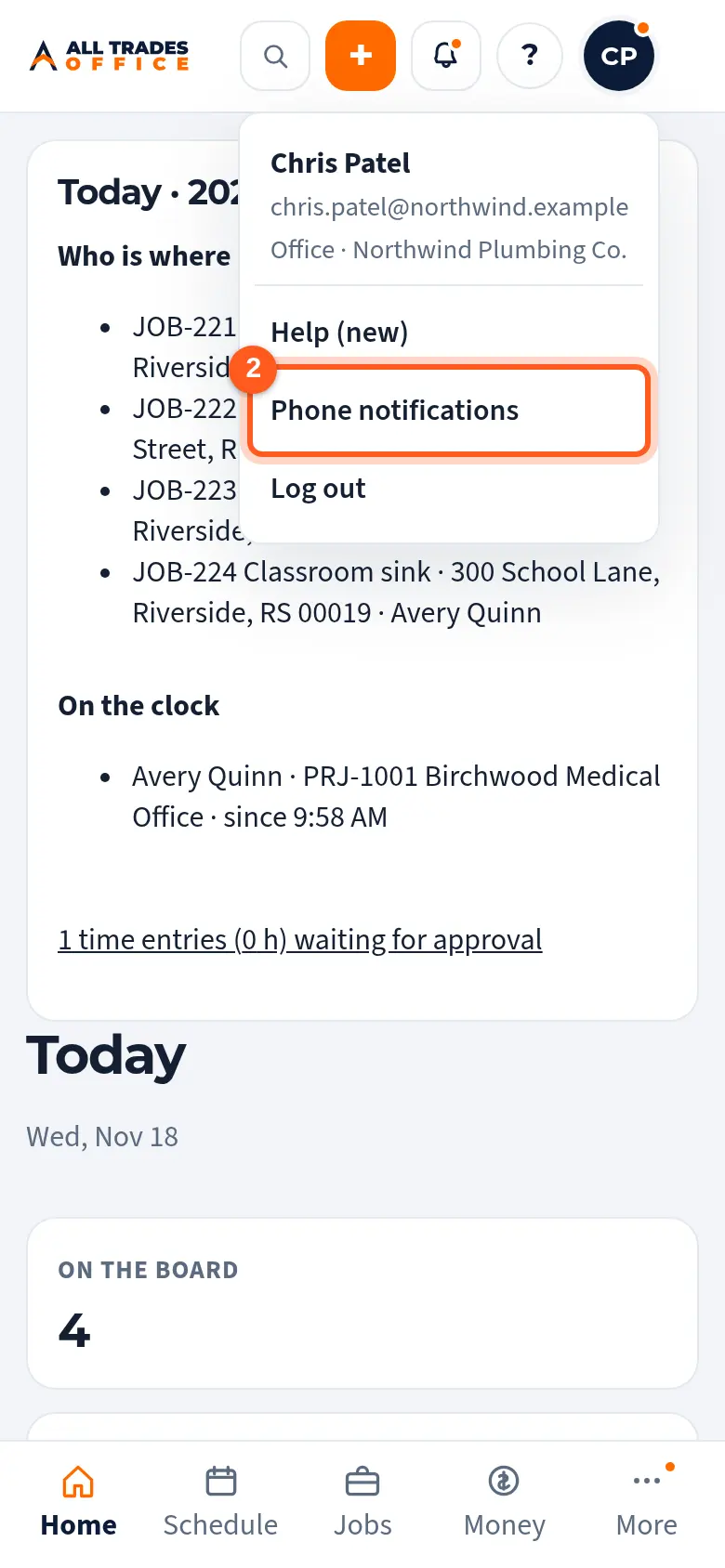
Tap Phone notifications.
Tap Turn on notifications, then tap Allow when your phone asks. Untick any alert types you don't want under Send me.
Good to know
- iPhone: add the app to your Home Screen first, open it from that icon, then do the steps above. It needs iOS 16.4 or newer. See Add the app to your iPhone Home Screen.
- Android: use the All Trades Office app. If you tapped "Don't allow", open your phone's Settings → Apps → All Trades Office → Notifications and turn them on.
- Samsung phones: if alerts come late, see Notifications on a Samsung phone.
- Each phone or computer is turned on separately.
Related
- Notifications on a Samsung phoneSamsung phones can hold alerts back to save battery. Here's how to let All Trades Office through.
- Notifications on iPhoneNot getting alerts on your iPhone? Check these three things.
- Reminder settingsChoose who gets reminder emails and see when reminders are held for quiet hours.