
Start a project
Set up a construction or remodel project with the GC or owner, contract value, and phases.
Who can do this: Owner, Admin, Office. Needs: Projects turned on in Settings → Features.
Last updated
A project is bigger work with phases, change orders, and progress billing. For a one-visit repair, use a service job instead.
Steps
Open Projects and tap New project.
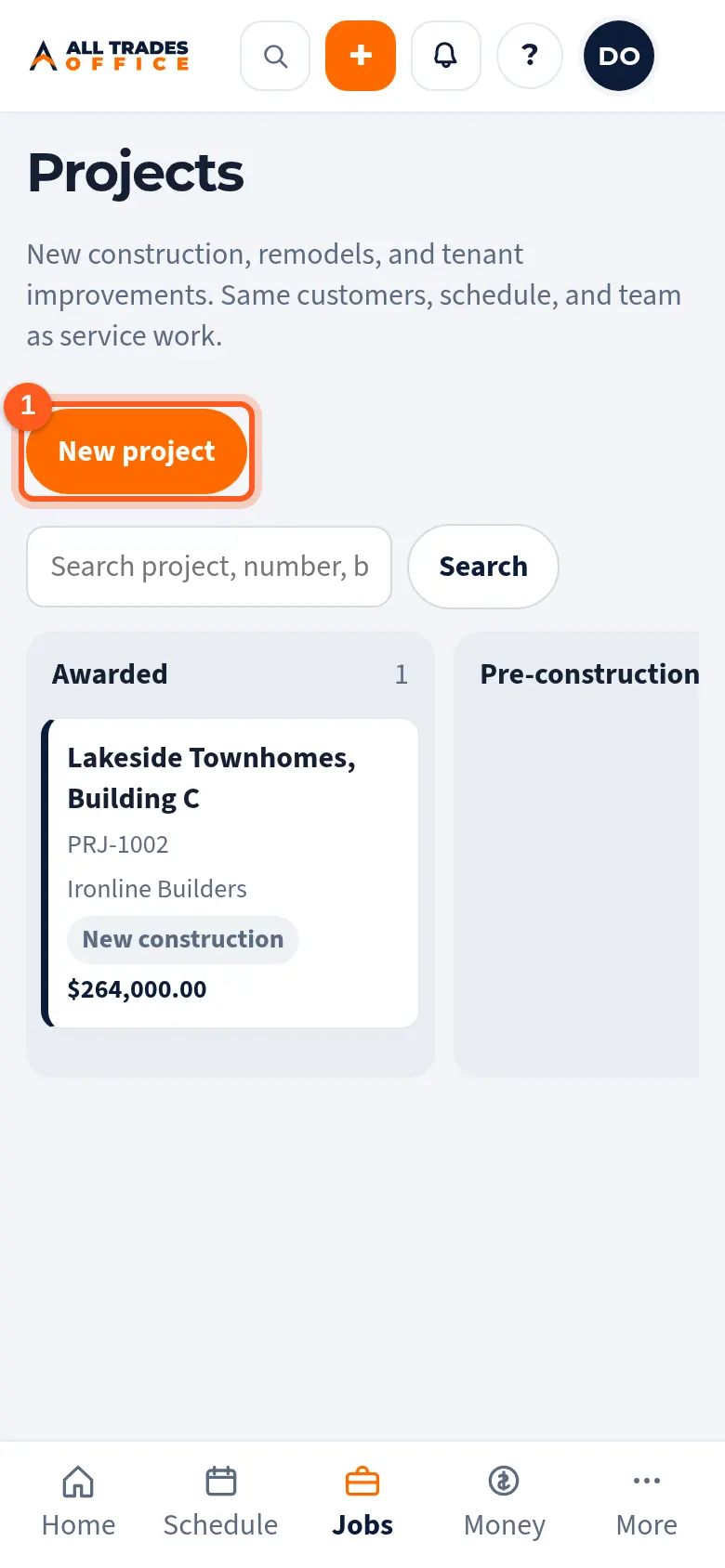
Type the project name and pick the Type. The type sets the starting phases, which you can change later.
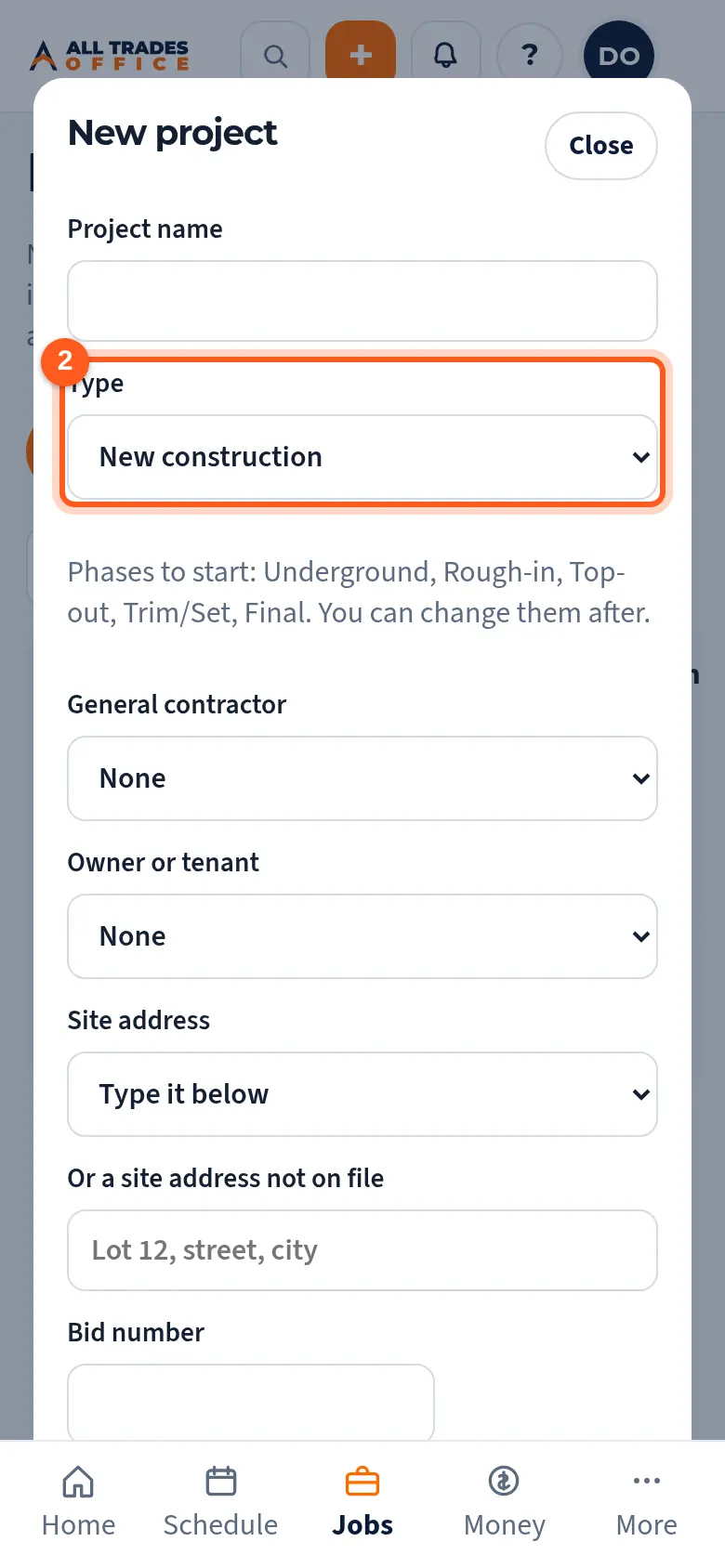
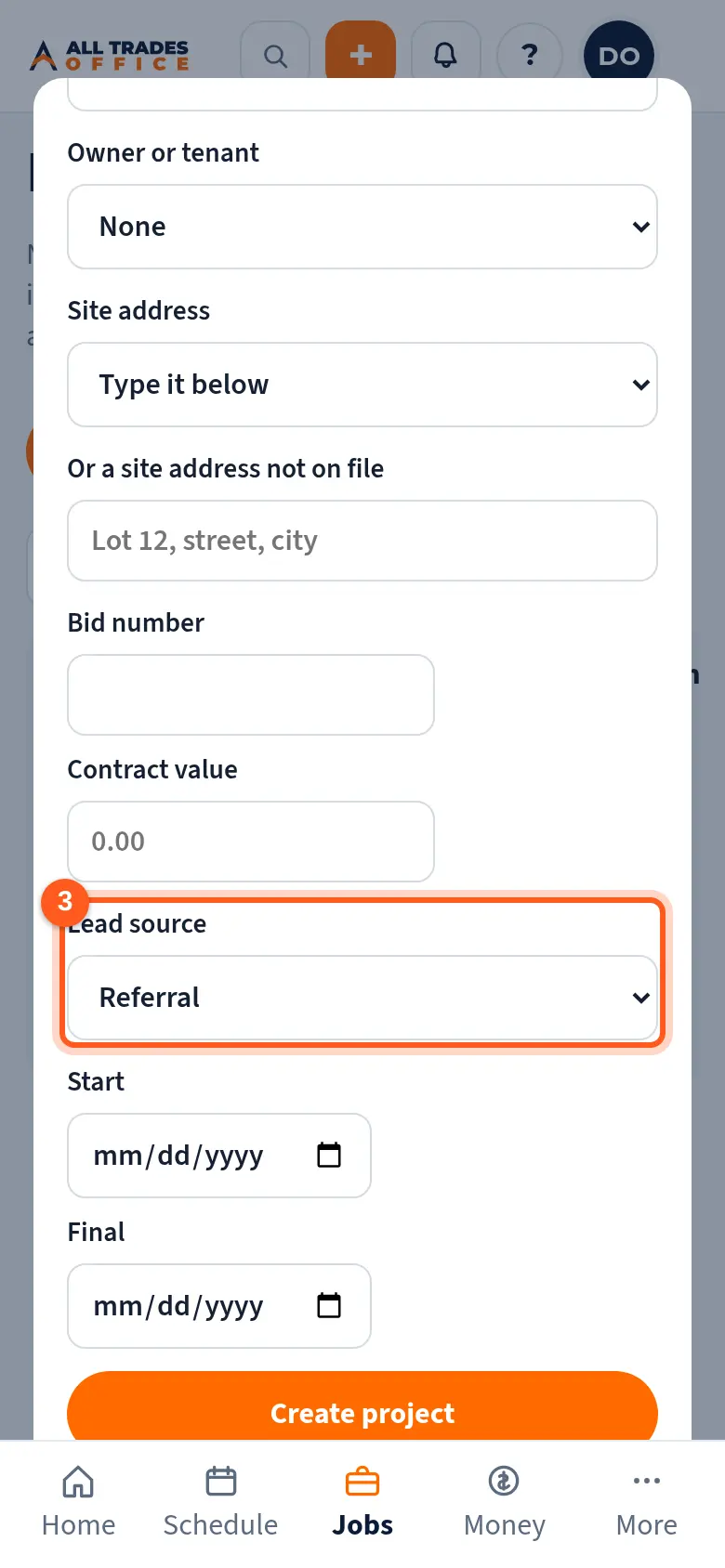
Pick the General contractor and the Owner or tenant, the site address, the contract value, and the Lead source. Then tap Create project.
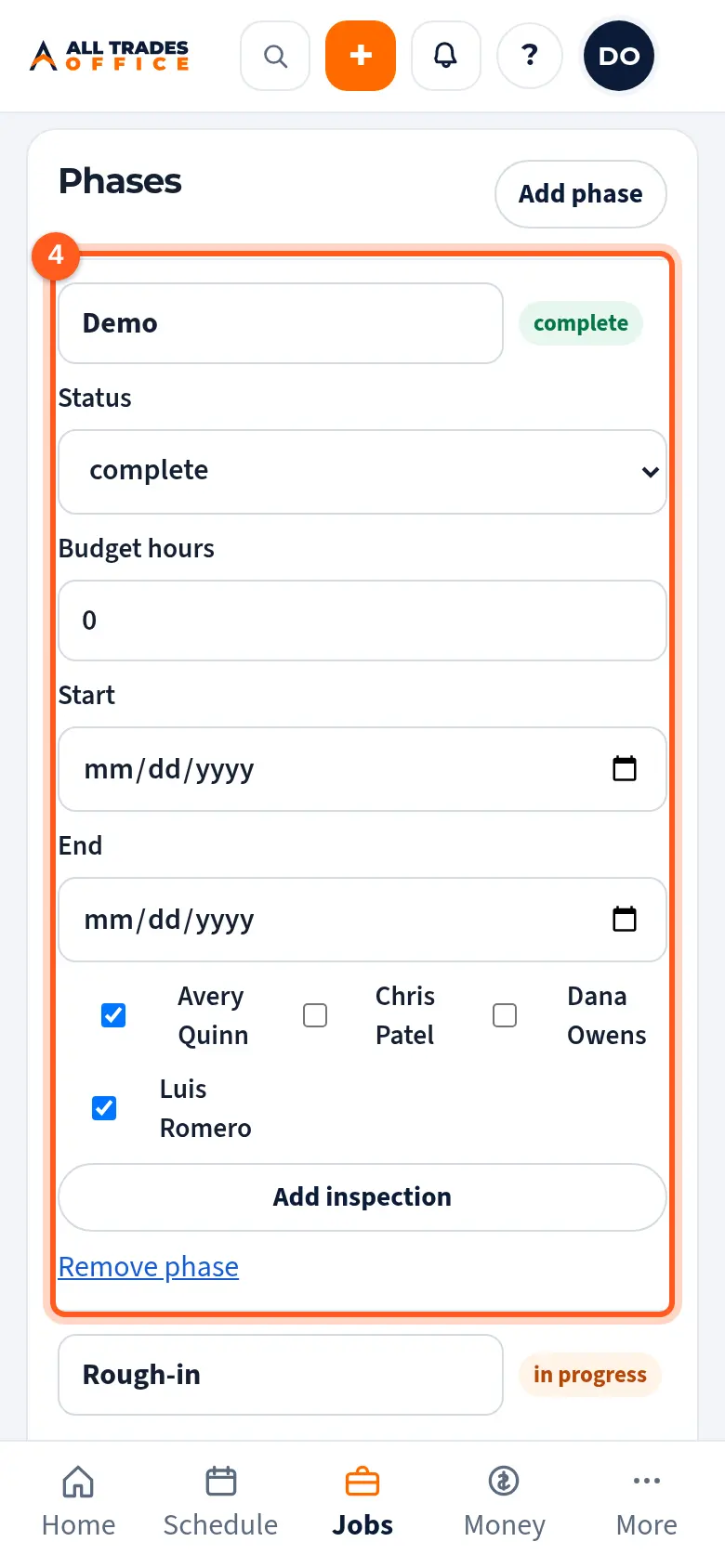
On the project, set the status at the top and fill in each phase's dates, budget hours, and crew.
Good to know
- Add the GC as a business customer first so you can pick them.
- People see the contract value only if their role can see contract money.
- Project dates and crews show on the schedule.
Related
- Turn an approved estimate into a job or projectConvert the estimate so the lines carry over and nothing gets typed twice.
- Job costing: budget, committed, and actualSee where a project's money and hours are going, by phase and cost code.
- Inspections on phasesLog a city or GC inspection on a phase and track failed ones until they pass.